Audits-IQ
Audits-IQ is a production-focused software project built by Sadam Hussain using React Native, TypeScript, Firebase, and related technologies.
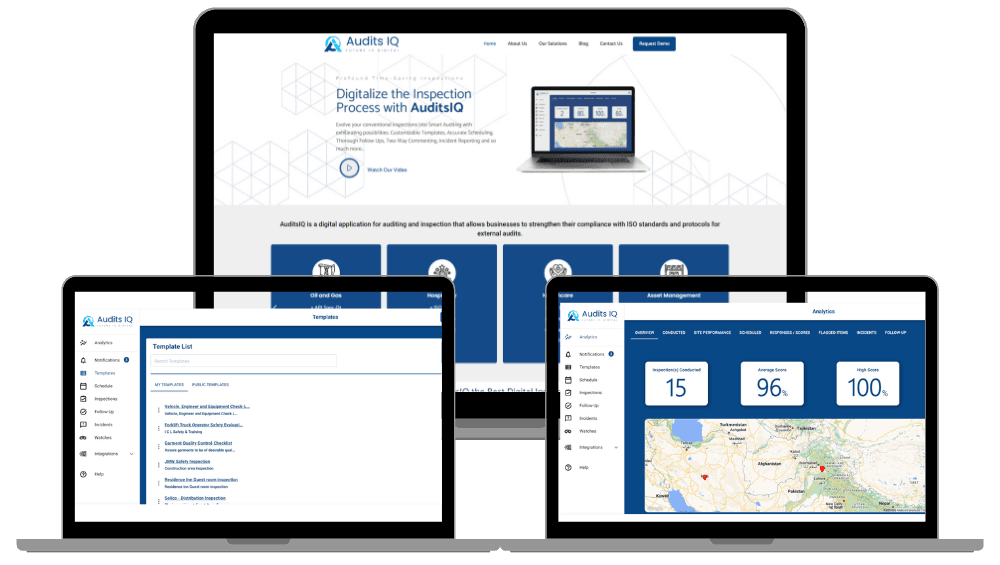
A mobile-first enterprise auditing and inspections platform built with React Native and Firebase, designed for offline-first fieldwork in environments with intermittent or zero connectivity. The platform features a configurable drag-and-drop form engine with conditional logic and branching workflows that adapts to diverse industry inspection requirements without engineering changes. A local-first data architecture ensures inspectors can capture data, attach photos, and complete full audit workflows while completely offline, with conflict-aware synchronization that reconciles local changes with the central Firestore database when connectivity returns. Automated reporting services generate structured PDF and Excel outputs directly from audit data, eliminating manual post-inspection documentation.
Tech Stack

Status
Production Ready
Type
Enterprise platform
Last Updated
April 18, 2026

Led the cross-platform mobile development of a flagship enterprise auditing system using React Native and TypeScript, architecting the mobile application for offline reliability, performance with large audit records, and cross-platform consistency.
Architected a local-first data persistence layer that stores all audit data on-device using structured local storage, enabling inspectors to create, edit, and complete full audit workflows with zero connectivity—no server dependency for any field operation.
Designed a conflict-aware synchronization engine that reconciles locally modified audit records with the central Firestore database when connectivity returns, using timestamp-based versioning and field-level merge strategies to handle concurrent edits from multiple inspectors.
Built a highly configurable drag-and-drop form engine supporting conditional logic (show/hide fields based on previous answers), branching workflows (different inspection paths based on findings), scored assessments, and industry-specific templates—all configurable by business users without engineering involvement.
Implemented multi-media attachment handling for offline field environments—photo capture, annotation, and storage are managed locally with deferred upload queuing that syncs media files to Firebase Storage in the background when bandwidth is available.
Built automated enterprise reporting services using Cloud Functions to generate structured PDF and Excel outputs from completed audit data, with configurable report templates that match each client's compliance documentation requirements.
Optimized mobile runtime performance for large audit records containing hundreds of form fields and multiple media attachments, implementing virtualized form rendering, incremental data loading, and memory-efficient media handling to prevent crashes on mid-range devices.
Integrated Redux for offline-aware state management with persistence middleware that serializes the entire audit state to local storage on every change, ensuring zero data loss even if the app is force-closed or the device runs out of battery mid-inspection.
Implemented rigorous mobile testing with Jest and React Testing Library, focusing on offline state transitions (online → offline → edit → reconnect → sync), conflict resolution logic, and form engine conditional behavior.
Developed reusable cross-platform UI components ensuring consistent enterprise design standards across iOS and Android, with platform-specific adaptations for native gestures, navigation patterns, and notification handling.
Audits-IQ
Overview
Audits-IQ is a mobile-first enterprise auditing and inspections platform built to replace paper-heavy field processes with robust digital workflows. The platform's core technical differentiator is its local-first architecture—every feature works without an internet connection. Inspectors can create audits, fill out complex forms, capture and annotate photos, complete full inspection workflows, and generate reports entirely offline. When connectivity returns, the synchronization engine reconciles local changes with the central database, handling conflicts from concurrent edits by multiple field team members.
This isn't an app that "degrades gracefully" when offline—it's designed offline-first, with online synchronization as the enhancement. The distinction matters architecturally: every state mutation, every UI interaction, and every data write assumes no network is available and works perfectly in that context.
The platform's second major technical investment is its configurable form engine. Rather than building fixed-layout inspection forms, the system provides a generic engine where business users define form structures, conditional logic, branching workflows, and scoring rules through a drag-and-drop builder. This engine-based approach allows the platform to serve diverse industries (construction, food safety, manufacturing, healthcare) without engineering changes for each new inspection type.
Business Context: Reliability in the Field
Field inspections happen in basements, construction sites, factory floors, remote agricultural facilities, and industrial environments where cellular connectivity is unreliable or nonexistent. Traditional inspection tools—whether paper forms or cloud-dependent mobile apps—fail in these conditions. Paper forms create data entry bottlenecks and transcription errors. Cloud-dependent apps freeze, lose data, or prevent inspectors from working when the signal drops.
The core problem: Inspection work is inherently disconnected. The places where inspections happen are the places where connectivity is worst. Any tool that requires an internet connection to function is fundamentally mismatched with the reality of fieldwork. But inspections also generate data that needs to reach a central system for compliance, reporting, and operational visibility—so eventually, the data must sync.
Stakeholder perspective:
- ›Field inspectors need a tool that never fails them—no loading spinners, no "connection required" errors, no data loss. They need to move through complex inspection checklists quickly, attach photographic evidence, and move to the next job site without waiting for uploads.
- ›Compliance managers need structured, auditable data—not handwritten notes or free-form text fields. Every inspection must follow the prescribed workflow, capture required fields, and produce standardized reports for regulatory filing.
- ›Enterprise administrators need to configure inspection templates for new regulatory requirements without waiting for engineering releases. Industries change their compliance standards, and the inspection tool must adapt at the speed of regulation, not the speed of software development.
Constraints that shaped the architecture:
- ›The app must work identically whether the device has full connectivity, intermittent connectivity, or zero connectivity. There is no degraded mode—offline is the default mode.
- ›Audit records can be large (hundreds of form fields, dozens of photo attachments per inspection), requiring careful memory management on mid-range mobile devices.
- ›Multiple inspectors may work on related audits concurrently (e.g., different sections of the same facility), requiring conflict resolution when their changes sync to the central database.
- ›Enterprise clients have different reporting requirements—the same audit data must be exportable in different document formats with different layouts per client.
What I Built
1. Local-First Data Architecture
- ›On-Device Persistence: Built the data layer so that all audit state lives on-device as the primary storage. When an inspector creates a new audit, fills out form fields, or captures photos, the data writes to structured local storage immediately. No network request is involved in any write operation during field work.
- ›Background Sync Engine: Implemented a synchronization service that runs in the background whenever connectivity is detected. The engine identifies locally modified records, compares their version timestamps against the server versions, and pushes changes to Firestore. Sync operations are batched and prioritized—text data syncs first (small payloads, high importance), media files sync later (large payloads, less urgent for operational visibility).
- ›Conflict Resolution Strategy: When two inspectors modify the same audit record while both offline, the sync engine must resolve the conflict. The system uses a field-level merge strategy: if Inspector A modified fields 1-5 and Inspector B modified fields 6-10, both changes merge cleanly. If both modified the same field, the later timestamp wins, and the overwritten value is preserved in a conflict log that compliance managers can review.
- ›Sync State Visibility: The UI provides clear visibility into sync status—each audit record shows whether it's "synced," "pending sync," or "conflict detected." Inspectors can see exactly which records haven't reached the server and can trigger manual sync when they reach a connectivity zone.
2. Configurable Form Engine
- ›Drag-and-Drop Form Builder: Built a visual form builder where business users create inspection templates by dragging field types (text input, numeric rating, photo capture, checkbox, dropdown, signature) onto a canvas and configuring properties (required/optional, validation rules, placeholder text, help tooltips).
- ›Conditional Logic System: Implemented a rules engine within the form builder that supports conditional field visibility ("show this section only if the previous answer was 'Non-Compliant'"), conditional validation ("require photo evidence if the rating is below 3"), and branching workflows ("if critical finding, redirect to escalation form section").
- ›Scored Assessments: Built scoring capabilities where form fields contribute to aggregate scores (per-section scores, overall audit scores) with configurable weighting. Scores calculate in real-time as the inspector fills out the form, providing immediate visibility into the inspection outcome.
- ›Template Versioning: Inspection templates are versioned, and in-progress audits retain the template version they started with. If a compliance manager updates a template, active audits continue with the original version to prevent mid-inspection schema changes that could invalidate already-entered data.
3. Media Capture & Offline Attachment Handling
- ›Offline Photo Pipeline: Integrated device camera access for photo capture during inspections. Photos are stored locally in the device's file system with references in the audit record. The inspector can annotate photos (draw circles, add text callouts) to highlight findings. All photo processing happens on-device without network dependency.
- ›Deferred Upload Queue: When connectivity returns, the sync engine processes a media upload queue that pushes photos and attachments to Firebase Storage. Uploads are chunked and resumable—if connectivity drops mid-upload, the upload resumes from where it stopped rather than restarting. Upload priority is configurable (critical findings' photos upload first).
- ›Media Compression Strategy: Photos are captured at high resolution for compliance evidence quality but compressed for storage and upload efficiency. The system stores the full-resolution original locally and uploads a compressed version, with the option to request full-resolution retrieval from the device when needed for detailed review.
4. Automated Enterprise Reporting
- ›Cloud Functions Report Generation: Built serverless reporting services using Firebase Cloud Functions that generate structured PDF and Excel documents from completed audit data. Reports are triggered automatically when an audit is marked complete and synced, or on-demand by compliance managers.
- ›Configurable Report Templates: Each enterprise client can define report templates that specify which data to include, how to format it, where to place photos and annotations, and what branding to apply. The report engine merges audit data with the client's template to produce compliance-ready documentation.
- ›Batch Reporting: Built batch report generation for compliance managers who need to compile reports across multiple audits (e.g., all inspections for a facility this quarter). Cloud Functions handle the batch processing asynchronously, notifying the manager when the compiled report is ready.
5. Mobile Performance Optimization
- ›Virtualized Form Rendering: Large audit forms (hundreds of fields across multiple sections) are rendered using virtualization—only the fields visible in the current scroll viewport are mounted in the React Native component tree. This prevents memory pressure from hundreds of simultaneously mounted form components.
- ›Incremental Data Loading: When opening a large audit record, the system loads form sections incrementally rather than deserializing the entire record at once. The section the inspector navigates to loads first, with remaining sections loading in the background.
- ›Memory-Efficient Media Handling: Photo thumbnails use low-resolution versions for gallery display, with full-resolution images loaded only when the inspector taps to view or annotate. This prevents memory exhaustion when audits contain dozens of attached photos.
6. Testing Strategy for Offline Systems
- ›Offline State Transition Testing: Built test suites that simulate the full offline lifecycle—go offline, create/edit audit data, go back online, verify sync completes correctly, verify conflicts are detected and resolved. These tests use mocked network state and Firestore emulators.
- ›Form Engine Logic Testing: Comprehensive unit tests for the conditional logic engine—verifying that field visibility rules, validation triggers, branching workflows, and score calculations behave correctly across complex form configurations.
- ›Sync Conflict Scenarios: Integration tests that simulate concurrent edits from multiple inspectors, verifying that the field-level merge strategy, timestamp resolution, and conflict logging work correctly for every conflict type.
Architecture Highlights
Offline-First as Default, Not Fallback
The fundamental architectural decision is that the app's primary state is offline. Every feature is designed to work without a network connection, and online connectivity is treated as an opportunity to sync rather than a requirement to function.
This inverts the typical mobile app architecture where data flows through API calls and local caching serves as a performance optimization. In Audits-IQ, local storage is the primary data store, and Firestore is the secondary store that receives synchronized copies. The implications are significant:
- ›Every write is local first: No loading spinners for save operations. Data persists immediately.
- ›Every read is from local storage: No waiting for API responses to render the UI. The app is always responsive.
- ›Sync is a background process: The inspector never waits for sync. It happens automatically when connectivity is available.
- ›The app works identically at 0 Mbps and 100 Mbps: The only difference is whether recent changes have synced to the central database.
Form Engine vs. Fixed Forms
The decision to build a configurable form engine rather than fixed-layout forms was driven by the enterprise market's diversity. A construction safety inspection has entirely different fields, logic, and scoring than a food safety audit or a healthcare facility review.
The engine-based approach means:
- ›New inspection types are configuration, not code: Business users create new templates without engineering involvement.
- ›Template updates don't require app releases: New form configurations sync from the server (when online) and are available for the next inspection.
- ›Conditional logic is declarative: Rules are defined as data (IF field X equals Y, THEN show section Z) rather than imperative code, making them auditable and version-controllable by non-engineers.
The trade-off is complexity—a generic form engine is significantly harder to build and test than fixed forms. But the scalability payoff is substantial: each new industry or compliance standard that Audits-IQ enters requires a new template, not a new feature.
Sync Architecture: Local-First with Cloud Reconciliation
The synchronization layer handles the most complex technical challenge—reconciling data that was created or modified without server coordination.
Write path (local → cloud):
- ›Inspector modifies an audit record → change persists to local storage immediately → a sync queue entry is created with the record ID and timestamp.
- ›Background sync service detects connectivity → reads the sync queue → for each pending record, compares the local version timestamp against the Firestore version.
- ›If no server-side changes exist (common case), the local version overwrites the server version.
- ›If server-side changes exist (concurrent edit), the field-level merge strategy runs, combining non-conflicting changes and flagging actual conflicts.
Read path (cloud → local):
- ›When the app comes online, it checks Firestore for records modified since the last sync timestamp.
- ›New or updated records from other inspectors are merged into local storage.
- ›The UI updates reactively through Redux to reflect any newly arrived data.
Redux as the Offline State Container
Redux serves a critical role beyond typical state management—it's the offline persistence layer. Middleware serializes the Redux store to structured local storage on every state change (debounced to avoid excessive I/O). When the app launches, the store is rehydrated from local storage, immediately restoring the inspector's complete working state including in-progress audits, form answers, and pending sync queue.
This architecture means:
- ›App crashes lose zero data: The last serialized state is always recoverable.
- ›Device restart is transparent: The app reopens exactly where the inspector left off.
- ›Battery death during fieldwork is non-catastrophic: State is persisted continuously.
Technical Deep Dive: Offline-First Sync and Conflict Resolution
The most architecturally challenging aspect of Audits-IQ is the synchronization engine that reconciles independently modified audit records from multiple inspectors working offline simultaneously.
The Problem: In a traditional client-server architecture, concurrent edits are handled by the server—last write wins, or optimistic locking rejects the second write. In an offline-first system, there is no server mediating writes. Two inspectors can modify the same audit record while both offline, and neither knows about the other's changes until both sync.
The Conflict Taxonomy:
- ›
Non-overlapping field edits (auto-merge): Inspector A modifies fields in Section 1. Inspector B modifies fields in Section 3. Both changes are valid and can be merged automatically—the merged result contains both sets of changes. This is the most common case and is handled transparently.
- ›
Overlapping field edits (conflict): Inspector A rates a safety item as "Pass" while Inspector B rates the same item as "Fail." Both had reasons—perhaps they inspected different aspects. The system cannot automatically determine which is correct.
- ›
Structural conflicts (rare): One inspector adds a new section to the audit while another inspector deletes that section. These require administrative resolution.
The Resolution Strategy:
For auto-mergeable changes, the system tracks modifications at the field level, not the record level. Each field in an audit record has its own last-modified timestamp. When syncing, the system compares field-by-field: if Inspector A's version has a newer timestamp for fields 1-5 and Inspector B's version has a newer timestamp for fields 6-10, the merged result takes each field's latest version.
For actual conflicts (same field, different values, different timestamps), the system applies "last write wins" at the field level—the later timestamp's value becomes the canonical value. However, the overwritten value isn't discarded. It's stored in a conflict log attached to the audit record, recording: which field, what the original value was, what it was overwritten with, who made each edit, and when. Compliance managers can review the conflict log and manually override if the "losing" value was actually correct.
For structural conflicts, the system preserves both versions and flags the record for administrative review. This is rare enough that manual resolution is acceptable.
Sync Queue Processing: The sync queue is processed sequentially (not in parallel) to prevent race conditions. Each record syncs in order:
- ›Read the local version and its modified fields.
- ›Read the server version (if it exists).
- ›If no server version, push the entire local record (first sync).
- ›If server version exists and is older than local for all fields, overwrite (clean push).
- ›If server version has fields newer than local (conflict case), run the field-level merge, log conflicts, push the merged result.
- ›Update the local record with the merged result and clear the sync queue entry.
Why field-level merging: Record-level conflict resolution (the entire record is "in conflict" if any field differs) is simpler but generates false conflicts constantly. In a large audit with hundreds of fields, two inspectors almost always modify different sections. Field-level merging resolves these automatically, reducing administrator review burden to only the genuinely ambiguous cases.
Key Challenges & Solutions
- ›
Challenge: Large audit records with hundreds of form fields caused performance degradation—slow rendering, high memory usage, and occasional crashes on mid-range Android devices. Approach: Implemented virtualized form rendering (only mounting visible fields in the component tree), incremental section loading (load the active section first, background-load the rest), and memory-efficient photo thumbnails (low-res for gallery display, full-res on demand). Why: React Native's bridge has performance characteristics that make rendering hundreds of components simultaneously problematic. Virtualization keeps the active component count manageable regardless of form size.
- ›
Challenge: Photo capture and storage during offline inspections could exhaust device storage on long inspection days with many photo-heavy audits. Approach: Implemented tiered storage management—full-resolution photos store locally during the active inspection, compressed versions queue for upload, and successfully uploaded photos transition to "cloud-backed" status where the local copy can be evicted if storage pressure is detected. The system warns inspectors when device storage is running low. Why: Field inspectors may complete dozens of audits per day, each with multiple photos. Without proactive storage management, the device fills up and the inspector can't continue working—exactly the failure mode offline-first architecture is supposed to prevent.
- ›
Challenge: The configurable form engine needed to support conditional logic (field visibility based on previous answers) that could be arbitrarily complex—nested conditions, multiple dependencies, and circular reference detection. Approach: Built the conditional logic system as a dependency graph where fields declare their visibility conditions as references to other fields' values. The engine evaluates the graph topologically, detecting circular references at template creation time (blocking save) rather than at runtime (causing infinite loops). Why: A simple if/else approach works for basic conditions but fails when conditions reference each other or form chains. The graph-based approach handles arbitrary complexity while preventing the invalid configurations that would crash the form engine at runtime.
- ›
Challenge: Enterprise clients required different report formats—some needed detailed PDF reports with photos, others needed Excel summaries for data analysis, others needed both with different layouts. Approach: Built a report template engine in Cloud Functions where each client configures their desired output format, field selection, photo placement, and branding. The same audit data produces different report artifacts based on the client's template configuration. Why: Hardcoding report layouts per client doesn't scale. The template approach means onboarding a new enterprise client's reporting requirements is a configuration task, not a development task.
Outcomes
- ›Enterprise Adoption: Successfully adopted across enterprise companies in diverse industrial sectors (construction, food safety, manufacturing), validating the platform's cross-industry configurability.
- ›Field Reliability: The offline-first architecture delivered consistent, uninterrupted field performance regardless of connectivity conditions—inspectors complete their work without ever waiting for network operations.
- ›Data Integrity: The conflict-aware synchronization engine maintained data consistency across concurrent offline edits, with field-level merging resolving the vast majority of sync scenarios automatically.
- ›Reporting Efficiency: Automated report generation from audit data dramatically reduced post-inspection documentation time, allowing inspectors to focus on fieldwork rather than paperwork.
- ›Template Scalability: The configurable form engine enabled rapid expansion into new industries and compliance frameworks without engineering involvement—new inspection types launch as template configurations, not feature releases.
Engineering Takeaways
Audits-IQ demonstrated that in field-service software, offline support is not a feature—it is the product. Designing for the "unconnected" user requires a fundamental shift in how state, synchronization, and UI feedback are managed. Every architectural decision must be evaluated against the question: "Does this work at 0 Mbps?"
Patterns I'd reuse:
- ›Local-first data architecture with background sync. Any application that serves users in unreliable connectivity conditions should treat local storage as primary and server synchronization as secondary.
- ›Field-level conflict resolution with conflict logging. This provides automatic merging for the common case (non-overlapping edits) while preserving auditability for genuine conflicts.
- ›Engine-based feature design (configurable form engine rather than fixed forms). When a product serves diverse use cases with the same underlying patterns, investing in a generic engine pays off exponentially as the customer base diversifies.
What I'd reconsider:
- ›The Redux-based persistence middleware serializes the entire store on every change. For very large audit records, a more surgical persistence approach (persisting only the changed slice) would reduce I/O overhead on lower-end devices.
- ›The current conflict resolution UI is minimal—it shows the conflict log but doesn't provide an inline merge interface. A more sophisticated conflict UI (like a diff view) would reduce compliance manager effort for the conflict cases that do require manual review.
Trade-offs acknowledged:
- ›Chose local-first over cloud-first architecture, accepting the synchronization complexity in exchange for guaranteed offline functionality. The sync engine is the most complex component in the system, but without it, the product doesn't serve its core use case.
- ›Chose a configurable form engine over fixed forms, accepting significantly higher development complexity in exchange for cross-industry scalability without per-client engineering work.
- ›Chose Firebase (Firestore + Cloud Functions) over a custom backend, accepting the vendor dependency and pricing model in exchange for managed real-time sync infrastructure and serverless compute for report generation.